
Responder ID Scanner
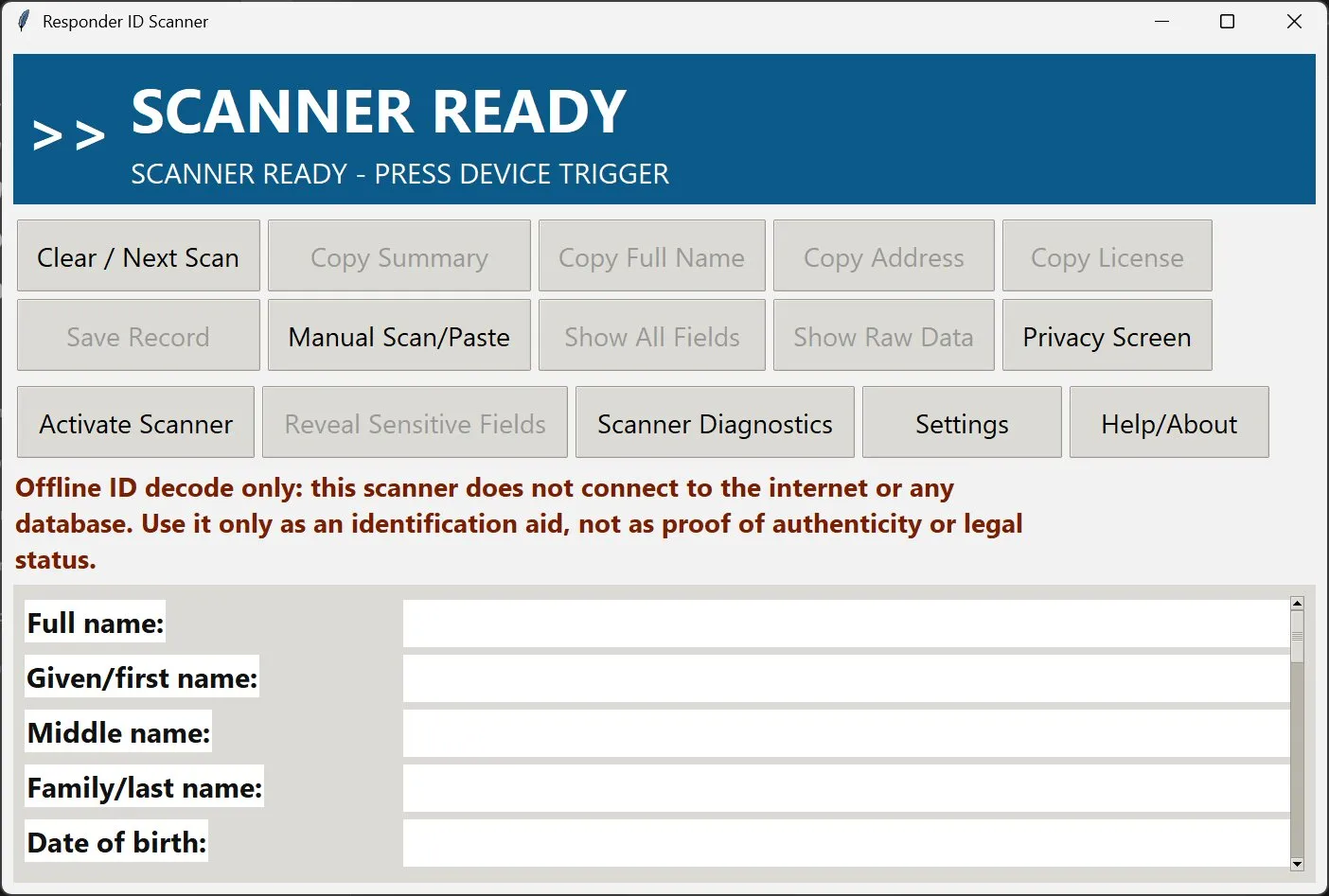
Offline Windows app for the Toughbook CF-33 that decodes PDF417/AAMVA IDs, with no automatic PII storage, no telemetry and no network services. Release candidate 0.2.1-rc5; physical-scanner field test still to do.
Online access
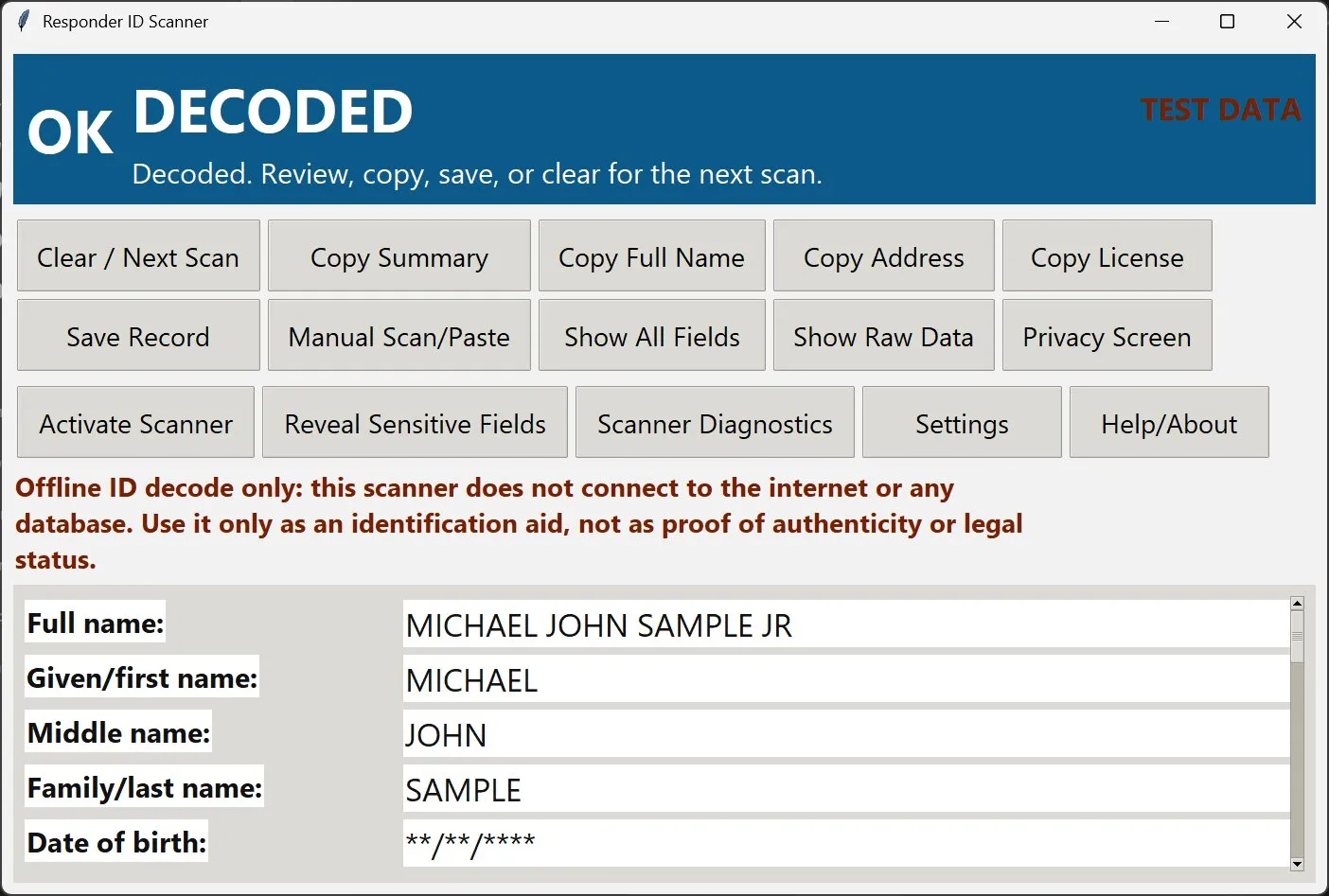
Section titled “Online access”There is no online demo of the ID Scanner, on purpose. It handles driver license data, so it is built to run only on the Toughbook with no network at all, and a hosted copy would go against its privacy rules. The screenshots below use a synthetic TEST DATA record.
Source: kept in a private GitLab repository under Signal & Systems Engineering, LLC. The code is not public and there is no source download. The GitLab repository holds the upstream AAMVA decoder project the scanner builds on (see Architecture below).
An offline Windows desktop app that reads the PDF417 barcode on the back of a US driver license or state ID and shows the AAMVA fields on screen. It runs on my Panasonic Toughbook CF-33, never touches the network, and keeps nothing about the person scanned unless the operator chooses to export it. I build it with AI-assisted development (OpenAI Codex), under a written maintenance policy whose first rule is to preserve proven behavior.
Everything on this page comes from the project’s own source, documentation and release files, read on the CF-33 on 27 Oct 2026, plus a test run made that day. Where something has not been tested, the page says so.
Screenshots
Section titled “Screenshots”These were captured on 26 Oct 2026 from a local run. The decoded record is a synthetic sample marked TEST DATA; no real ID was scanned for these screenshots.
Release
Section titled “Release”Release details
- Current build
- 0.2.1-rc5 (release candidate, 23 Jul 2026)
- Stable release
- 0.2.0 (22 Jul 2026), preserved unchanged
- Platform
- Windows on Panasonic Toughbook CF-33
- Language
- Python 3.14
- UI
- Tkinter (standard library)
- Tests
- 89 passed (pytest 9.1), re-run 27 Oct 2026
- Packaging
- PyInstaller 6.21, one-folder build
- Code signing
- Not signed
- Network
- None: no sockets, no telemetry
- Physical scanner
- Acceptance test not yet performed
- Source code
- Private; not published
Source: not yet linked (unverified)
Give responders a fast, offline way to read the PDF417 barcode on a driver license or state ID and see the AAMVA fields on screen, without the data ever leaving the device unless the operator chooses to export it.
Not an identity check
The app decodes barcode data only. It does not authenticate the card, does not verify anyone’s identity, and does not query a DMV, NCIC, NLETS or any other system. A decoded barcode can come from a forged card.
Constraints
Section titled “Constraints”- Hardware: Panasonic Toughbook CF-33 running Windows.
- Offline only: no network services and no telemetry.
- Privacy: no automatic persistence of personal information. Exports are explicit and operator-initiated.
- Stability: changes are small and isolated, with regression tests and release candidates, so the stable core is never broken.
- No guessed hardware APIs: the app reads the scanner as a keyboard (keyboard-wedge input). It does not call any vendor scanner driver or SDK.
Privacy statement
Section titled “Privacy statement”The Responder ID Scanner does not store scanned personal information automatically, does not send telemetry, and does not open network connections. Data leaves the app only when the operator explicitly exports or copies it. All screenshots and examples on this site use synthetic sample IDs, never a real license or a real person.
How the code backs that up, from the project’s privacy and security documents:
- Volatile buffer. Raw scan data is held in memory only, and is cleared with Clear (Esc), with a new scan, or on exit.
- Masked by default. License number, date of birth, address and document discriminator are masked on screen. Reveal Sensitive Fields shows them for a limited time, then they mask again.
- Explicit export only. JSON and CSV export happen only when the operator asks. CSV export guards against spreadsheet formula injection.
- PII-free audit log. The app keeps a rotating log of events (scan started, decode status, export made) that never contains the decoded fields.
- Clipboard clearing. When the app copies a field, it clears the clipboard afterwards, but only if the clipboard still holds what the app put there.
- Scan length guard. Input over a maximum length is rejected, so a stuck or hostile input device cannot flood memory.
- Settings stay local. Settings and logs live in the Windows user profile (the app’s own AppData folder), not next to the executable.
A security review dated 22 Jul 2026 records no use of eval or exec, no shell commands, no network sockets and no telemetry.
Architecture
Section titled “Architecture”Keyboard events (scanner acts as a keyboard) ─► capture state machine (F2 activates scanning) ─► volatile raw buffer (memory only) ─► normalizer and tokenizer ─► decoder adapter (AAMVA decoder modules) ─► typed record ─► validation and decode status ─► formatting and masking ─► Tkinter window ─► explicit copy or export only (operator action) ─► clear- Capture. A small state machine watches keystrokes after the operator presses F2 (Activate Scanner) and decides when a scan has started and finished.
- Normalizer. Cleans up what keyboard-wedge scanners do to the data: carriage return and line feed differences, tabs, ASCII separator characters and the
@ANSIheader. It also recovers from some damaged scans. - Tokenizer. An independent raw-field tokenizer splits the payload into AAMVA element IDs, so a decoder failure can still show what was in the barcode.
- Decoder adapter. Wraps the AAMVA decoder modules and turns their output into one typed record. It handles both modern and legacy name fields, and both MMDDYYYY and YYYYMMDD date formats.
- Status. Every decode ends in one of five results: Complete, Partial, Incomplete, Unsupported or Malformed, with any warnings listed.
Built on open-source work
Section titled “Built on open-source work”The AAMVA parsing modules come from the open-source AAMVA_Drivers_License_Decoder project by raleighlittles. The upstream project is a small Flask web app; this project replaces the web layer with an offline Tkinter desktop app and adds the capture, normalization, privacy, export and packaging layers around the decoder. The web server, OpenCV and image-decoding parts of upstream are excluded from the packaged build.
Open item
The upstream project’s license still needs to be confirmed before any of this code is published. See Open items.
Features
Section titled “Features”- Scanner input: keyboard-wedge capture with an Activate Scanner control (F2), Scanner Diagnostic Mode for checking what a scanner actually sends, and Manual Scan/Paste for testing without a scanner.
- Raw Data dialog: shows the raw payload and tokenized fields for troubleshooting.
- Damaged-barcode recovery: documented steps and code paths for partial or damaged scans.
- Themes: light, dark, follow-system and high contrast.
- Keyboard shortcuts: F2, F3, F4, F5, F8, Esc (clear), Ctrl+L and Ctrl+Q (quit).
- Documentation shipped with the app: user guide, administrator guide, privacy and security (including a threat model of what is and is not in scope), security review, accessibility notes, troubleshooting, field reference, scanner diagnostics, damaged-barcode recovery, a real-scanner acceptance test, a release checklist, the maintenance policy, the engineering baseline and a regression inventory.
Parts list
Section titled “Parts list”| Part | SKU | Price | Key specs | Source | Status |
|---|---|---|---|---|---|
| Panasonic Toughbook CF-33 | TBD | TBD | Target device, Windows | TBD | TBD |
| Barcode scanner (keyboard-wedge) | TBD | TBD | Model not documented in the project. Any scanner that types the PDF417 payload as keystrokes should work; this is not yet confirmed on hardware. | TBD | TBD |
Configuration
Section titled “Configuration”- Runtime: Python 3.14 with the standard library and the local decoder modules. No third-party packages are needed at runtime.
- Development tools: pytest 9.1 for tests and PyInstaller 6.21 for packaging, in a project virtual environment.
- Build settings: a one-folder PyInstaller build that excludes Flask, OpenCV and the image barcode decoder, which the desktop app does not use.
- Runtime settings: stored per user in the app’s AppData folder, along with the rotating audit log.
Build steps
Section titled “Build steps”- Create the Python virtual environment and install the development tools.
- Run the pytest suite. A release build stops if any test fails.
- Build the Windows app with the project’s PyInstaller release script, which writes a build manifest (version, file hash, test count).
- Keep the build as a release candidate next to the preserved stable release. A release candidate never overwrites the stable build.
- Run the real-scanner acceptance test on the CF-33 with synthetic IDs before promoting a candidate to stable.
Testing and verification
Section titled “Testing and verification”| Area | Status |
|---|---|
| Automated tests (pytest) | 89 passed on 27 Oct 2026 on the CF-33 (12.1 seconds). The release build of 0.2.1-rc5 also recorded 89 passing. |
| Fixture decode | The bundled synthetic Virginia sample decodes as Complete, 29 fields, 0 warnings (27 Oct 2026). |
| Packaged build (PyInstaller) | Built: one-folder Windows app, about 3.5 MB executable, SHA-256 recorded in the build manifest. Not code-signed. |
| Physical scanner on the CF-33 | Not yet tested. The 22-step real-scanner acceptance test is written but has not been performed. |
| Rollback | Stable 0.2.0 is preserved unchanged, and every release candidate (rc1 to rc5) is kept, so rolling back means running the previous build. |
Test count over time, from the engineering baseline: 45 tests at 0.1.0, 56 at 0.2.0, and 89 at 0.2.1-rc5.
The regression inventory tracks 21 known issues. All are marked Fixed except hardware behavior, which stays open until the app is field-tested with a real scanner.
How changes are made
Section titled “How changes are made”The project has a written maintenance policy for AI-assisted changes:
- Preserve proven behavior first. New capability goes in through isolated, tested changes. Stable core behavior is changed only when a reproducible defect proves it has to be. Cleaner-looking designs are not a reason to replace working code, and unrelated improvements are never combined in one change.
- Protected systems. Scanner capture, normalization and tokenization, the decoder adapter, date handling, privacy and packaging may not be changed as collateral work.
- A baseline before every change. Dependency check, compile check and the full pytest suite, plus a record of the current executable’s path, size and SHA-256, and a short impact assessment (files, protected systems at risk, privacy, scanner and packaging effects, new tests, rollback path).
- Five change classes. A is presentation only, B an isolated workflow feature, C a data-interpretation change that needs fixtures and before/after comparisons, D a capture-system change that needs real-scanner acceptance protection, and E an architecture or packaging change that needs full packaged verification and a preserved stable release.
- Source tests are not enough when the packaged Windows executable is affected; the packaged build has to be checked too.
- Release candidates never replace stable, so rollback is always possible through the preserved stable release.
Safety notes
Section titled “Safety notes”- Use synthetic sample IDs for every test, screenshot and demo.
- Treat any real scan as sensitive data. Do not export unless there is an operational need, and delete exports when that need ends.
- The app is not an identity check. Follow your agency’s procedures for verifying identity.
Lessons learned
Section titled “Lessons learned”- Keyboard-wedge data is messy. Scanners that type into a window change line endings, drop or translate separator characters and sometimes split a scan. A dedicated normalizer and a separate raw tokenizer made decoding far more robust than parsing the text directly.
- Privacy has to be built into each step, not added at the end: masking, the volatile buffer, clipboard ownership and the PII-free log each closed a different way data could leak.
- A written rule for AI-assisted changes keeps a working build working. Keeping the stable release untouched and every candidate side by side made each change easy to undo.
Open items
Section titled “Open items”- Run the real-scanner acceptance test on the CF-33 with a physical scanner and synthetic IDs, then record the scanner model and results here.
- Confirm the upstream license for the AAMVA decoder modules before deciding whether the source can be published.
- Decide whether to code-sign the executable.
- Promote 0.2.1-rc5 to stable after the acceptance test passes.
Changelog
Section titled “Changelog”Rebuilt the page from the project source and release files on the CF-33: version 0.2.1-rc5, 89 pytest tests passing (re-run 27 Oct), fixture decode result, packaging, architecture, privacy controls, maintenance policy, open-source attribution and the outstanding scanner acceptance test. Start date set to July 2026 from the project files.
Rollback: Revert the commit that made this change.
Project page published.
Rollback: Revert the commit that added this page.